

The computer will now restart and clean your hard drive. When it reboots, you will have a fresh installation of Windows 10 without any files or programs from before installed. Refreshing your computer keeps your files — though not any installed programs that didn’t come with your computer — and reinstalls the Windows operating system. In comparison, factory resetting your computer reinstalls the operating system but does not preserve any files or installed programs. If you want to reset Windows 10 quickly, you can choose Just remove my files. Your files and data will be removed quickly and some data might remain recoverable using special software even after Windows 10 has been restored to factory settings.
If you’re not sure whether or not your camera is capable of taking good screenshots, you can try using a different camera or downloading a screenshotting software. If you recently updated your Windows 10 OS or if you just switched to Windows 10, you might notice that there is a new program in town when it comes to taking screenshots. Yes, that means goodbye & farewell to Microsoft’s Snipping Tool. Don’t feel bad for the 16-year-old vet who got it’s call-up to the big leagues in 2002 during the good ol’ Windows Vista days.
For depth, you want the greatest measurement as oppose to the shortest of the three, which is the one you would have recorded for both height and width. Whichever distance is the shortest is the number you will use to order the new window. For each window, you plan to order, be sure to take all of the following measurements. Be conscious of the start and end point of each measurement. The most important thing to remember before taking the measurement is understanding what type of door you have.
Change the theme color
You aren’t restricted to just taking a screenshot of desktop Windows 10 configurations; you could capture something in a game, in Microsoft Word, or on a website. Snipping tool also features a pen and highlighter option that allows you to draw on your screenshot to make annotations and point-outs clear and easy. Takes a screenshot of your active window with one easy click. You can then save the image by clicking File and then Save from the dropdown menu of the application.
It will take around 20 to 30 minutes, and Windows will start automatically after completion. You can now install and use your favorite programs easily and restore your data from the backup. In many cases, Windows confuses the installation of new partitions with users running a Windows to Go workspace from a USB drive, which leads to Windows factory reset not working. Some specific brands of computers may enable you to enter recovery environment with specific keys (like ALT+F10 for Acer), which makes factory reset even easier. So you could search for relevant information before resetting Windows 10.
- 6) Press the F10 key on your keyboard and follow the on-screen instructions to reinstall your Windows 7 computer.
- Before you can hit the reset button, you must determine how to reinstall Windows.
- When a hard disk drive has written a significant amount of data, the empty portions become rarer.
As your PC begins to age, it may start to run poorly, with more bugs and a slower speed. That’s where resetting it back to its factory settings can prove useful in helping to get it back up and running like new again. Windows 10 is prone to all sorts of issues, from the sudden disappearance of files to problems with installing updates. If your computer isn’t running the way it should, giving you strange errors or performing slowly, then it’s probably time for a reset. We’re focusing this guide on using the built-in reset tools, but you can also perform a clean installation of Windows 10 to reset your computer to factory defaults. In this Windows 10 guide, we’ll walk you through three different methods to reset your computer to its factory settings without your files or erasing everything.
Alt+PrtScr to take a screenshot of any one active window
The screenshot taken here will be copied to your clipboard, which you have to paste to MS Paint or any other photo editing apps available on your PC. You can take a rectangular snip, free snip, window snip, or a full screen from here. We’d more at driversol.com recommend that users should know how to screenshot on Windows 10 using the keyboard shortcuts, as it is very convenient and it leverages built-in functionality in Windows. For those who prefer to use tools to get things done, there is also the option to use the snipping tool or third-party software that excels at taking screenshots in Windows. A regular keyboard will have function keys keyboard shortcut(F1-F12). These keys may or may not share their function with keyboard shortcuts such as muting the speakers or adjusting brightness.
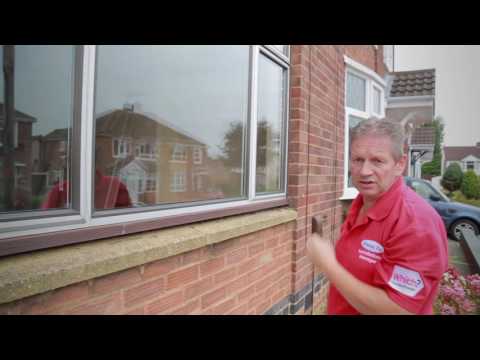
We custom make our replacement windows, so you can be sure the windows we install are perfectly sized for your home. When measuring the height of a window, take measurements from the high point of the window’s sill to the top of the window opening. Measure once at the left side, once at the center of the window, and once at the right side of the window. The smallest number is what you will use for the window’s height when ordering your replacement window.